macOS 26+ · Windows 11 · CLI for Linux,
macOS & Windows
A lighter way to elevate
Your access. Within reach.
One small app. A little more room to focus.
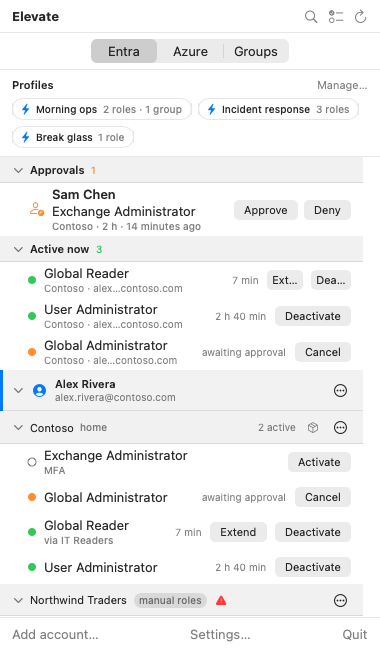
Elevate⌃ ◷ ▰
macOS panel · Sample data
Just enough access.Just when you need it.
Less friction. Better habits.
“I’ll activate it for longer. Just in case.”
When activation feels like a chore, extra access can feel convenient.
Elevate makes just-in-time easier to practise, with the roles you need
a click away.
Entra directory rolesAzure resource rolesPIM for Groups
Made for the way you work
Less clicking. More doing.
From your first activation to your everyday routine. All in one
familiar place.
01 / 04
Your roles, within reach.
Entra roles, Azure roles and PIM for Groups across your
accounts and tenants. Find what you need from your menu bar,
system tray or terminal.
See active roles and pending approvals together. Search by
role, tenant or account.
Show your profile, eligible roles and PIM requirements.
PIM write access 2 Graph scopes
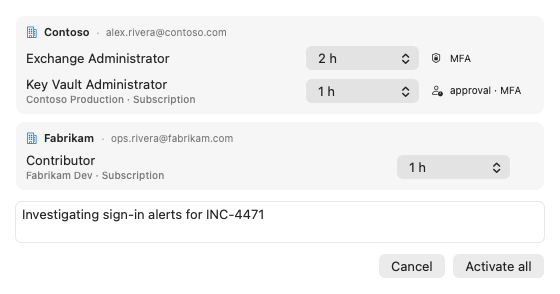
Activate and deactivate Entra roles and PIM group access.
Azure access 1 Azure scope
Find Azure resources and manage your role activations.
Access packages 1 Graph scope
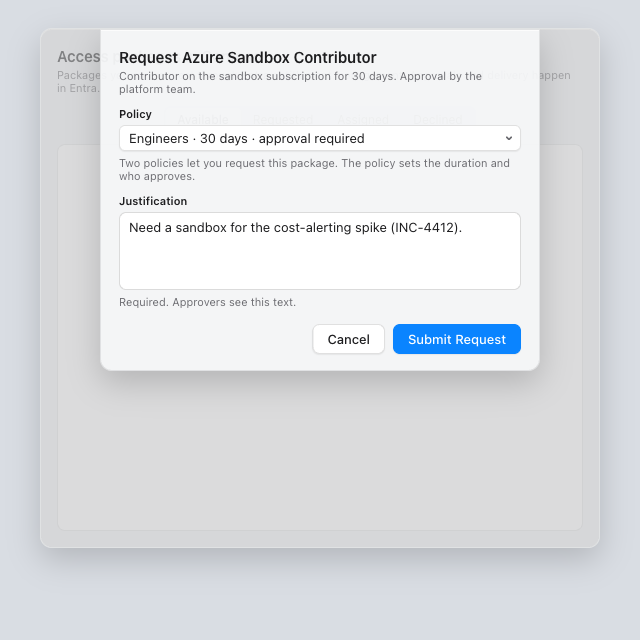
Find, request and cancel self-service access.
Consent does not make you an admin. PIM activation requirements
still apply.
The risk to manage
Write scopes are powerful. A compromised app or token could misuse
your access, with greater impact for admins. Use trusted builds, a
protected device and minimal access.
For the whole team
Elevate, ready for your fleet.
Less setup for people. Consistent configuration for IT.
Deploy with your tools.
Intune, Jamf, Group Policy and managed CLI configuration. One
standard app per platform, without a company-specific build.
Set the essentials centrally.
Push the client ID, sign-in options and tenant settings. Lock
managed settings and control update checks.
A shared starting point.
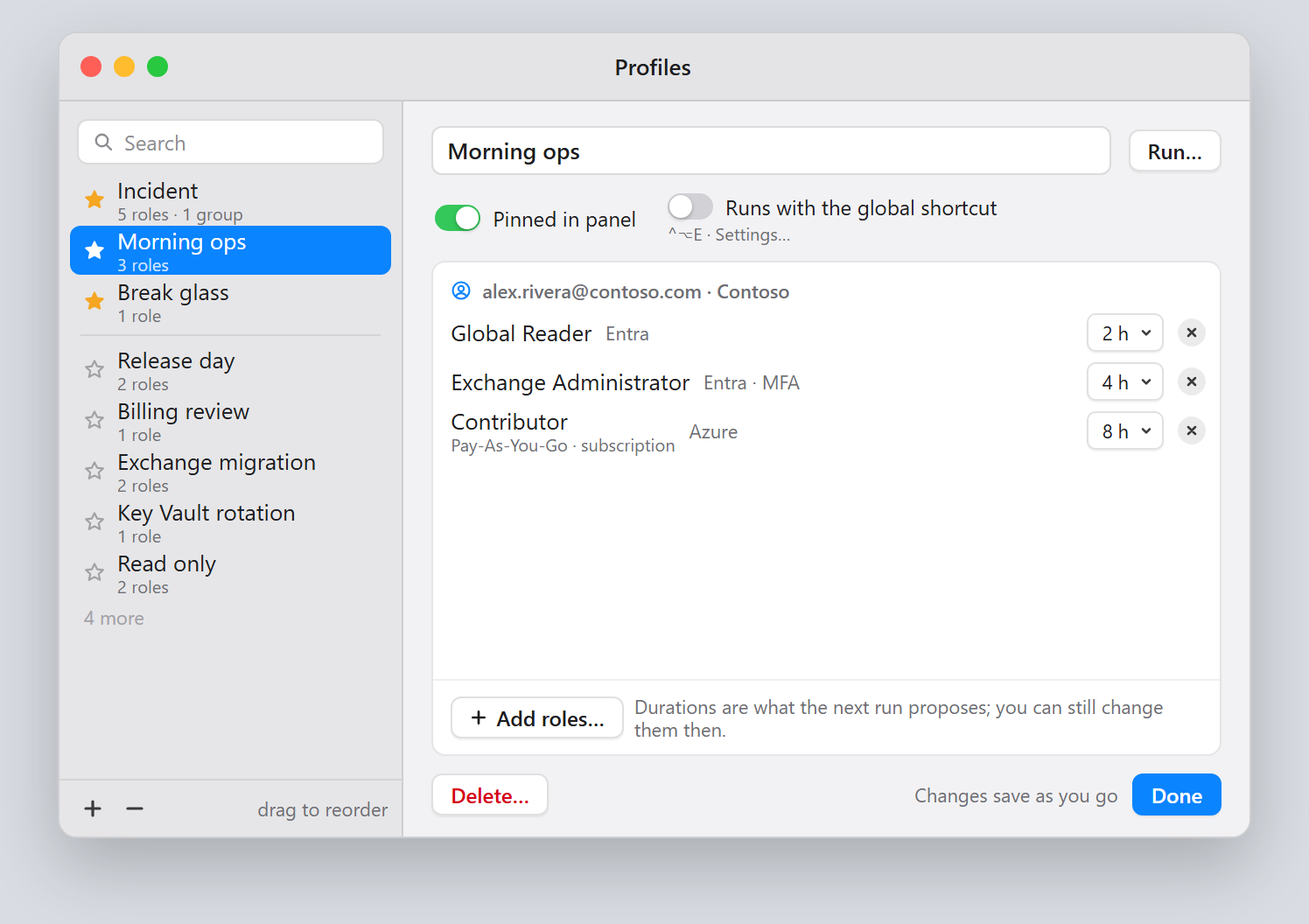
Publish ready-to-run role profiles through policy or HTTPS.
Existing eligibility and PIM requirements still apply.
See what reached each device.
Settings, Diagnostics and the CLI show applied configuration and
warnings. Validate templates before rollout.
Quickest: the shared Elevate app, an optional multi-tenant
registration the project provides so you can try Elevate without
creating one. It has no SLA and may change or be withdrawn, and an
administrator grants consent once per tenant.
For control over scopes, redirect URIs and lifetime, use your own or
your company’s app registration. Azure CLI or Azure PowerShell
sign-in needs neither, but supports Azure resource roles only.